Using the Virtual Piano and Fretboard for MIDI Input
If you don’t have a MIDI controller available, you can use your computer keyboard with the Virtual Piano and Virtual Fretboard widgets to generate MIDI input.
Virtual Piano
The Virtual Piano maps keyboard keys to a two-octave virtual MIDI controller. To use it, add the widget and double-click to activate it. Once activated, use the following keys to generate notes:
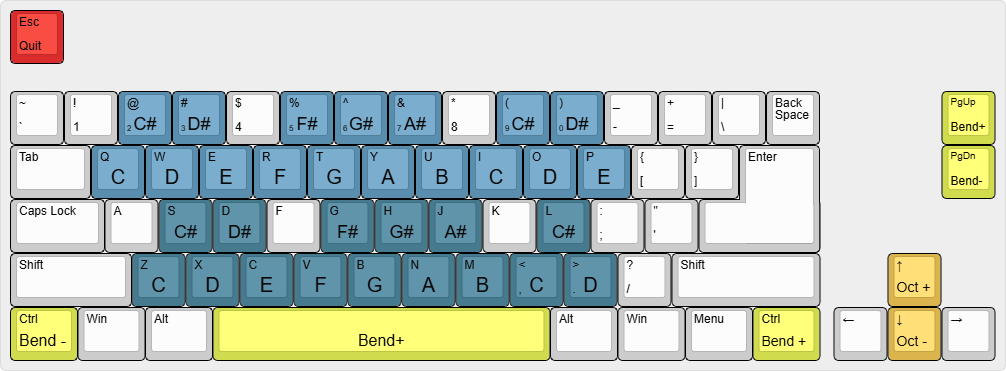
Bluish keys: two-octave keyboard layout.Left ControlandRight Control: pitch bend down and up.↑and↓arrow keys: increase or decrease the octave.Esc: deactivates.
Virtual Fretboard
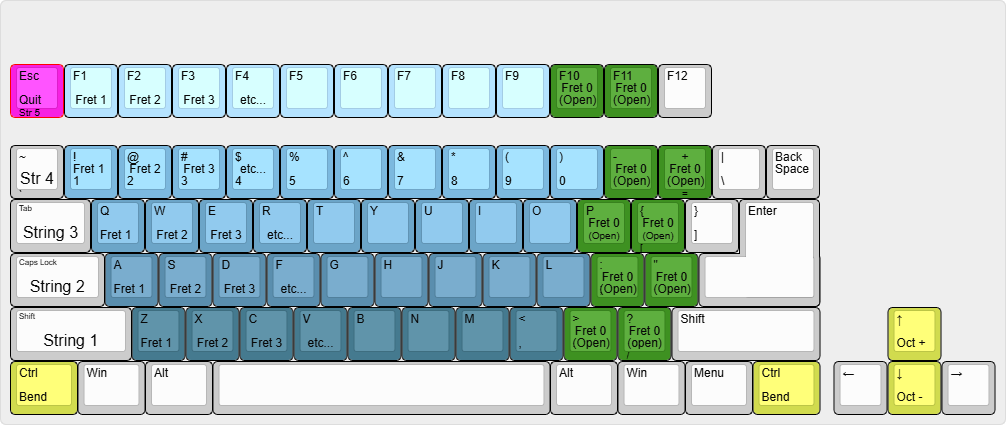
You can also generate input using our experimental Virtual Fretboard widget: