Virtual Piano Widget
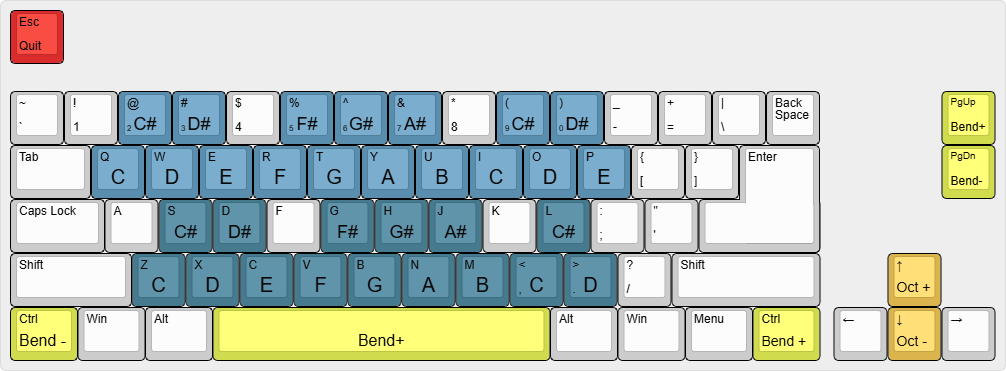
The Virtual Piano lets you use the PC Keyboard to generate MIDI input, following this layout:
Settings
Show Note Names
Displays note names in small or large text.
Shortcuts
Double-click: Activates or deactivates the Virtual Piano. When activated, it will capture all your keyboard keystrokes. A yellow outline around your screen will indicate that the Virtual Piano is active.Escape: Deactivates Virtual PianoLeft CtrlorPage Down: Bend downRight CtrlorPage UporSpacebar: Bend up
Common shortcuts (shared across all widgets)
Ctrl + C: Clones the widget, creating a new instance with the same settings.Ctrl + Left Click: Opens the contextual menu for front/back ordering, background transparency, and widget linking options.